
We do not recommend bouncing between programs. You should normally stick to a program for at least three months to get a full taste of the workouts. But we get it... maybe your gym closed or opened up, or you just want to try something else. We've made it super easy to switch between programs:
1. From the workout screen tap "Switch" near the top of the screen.
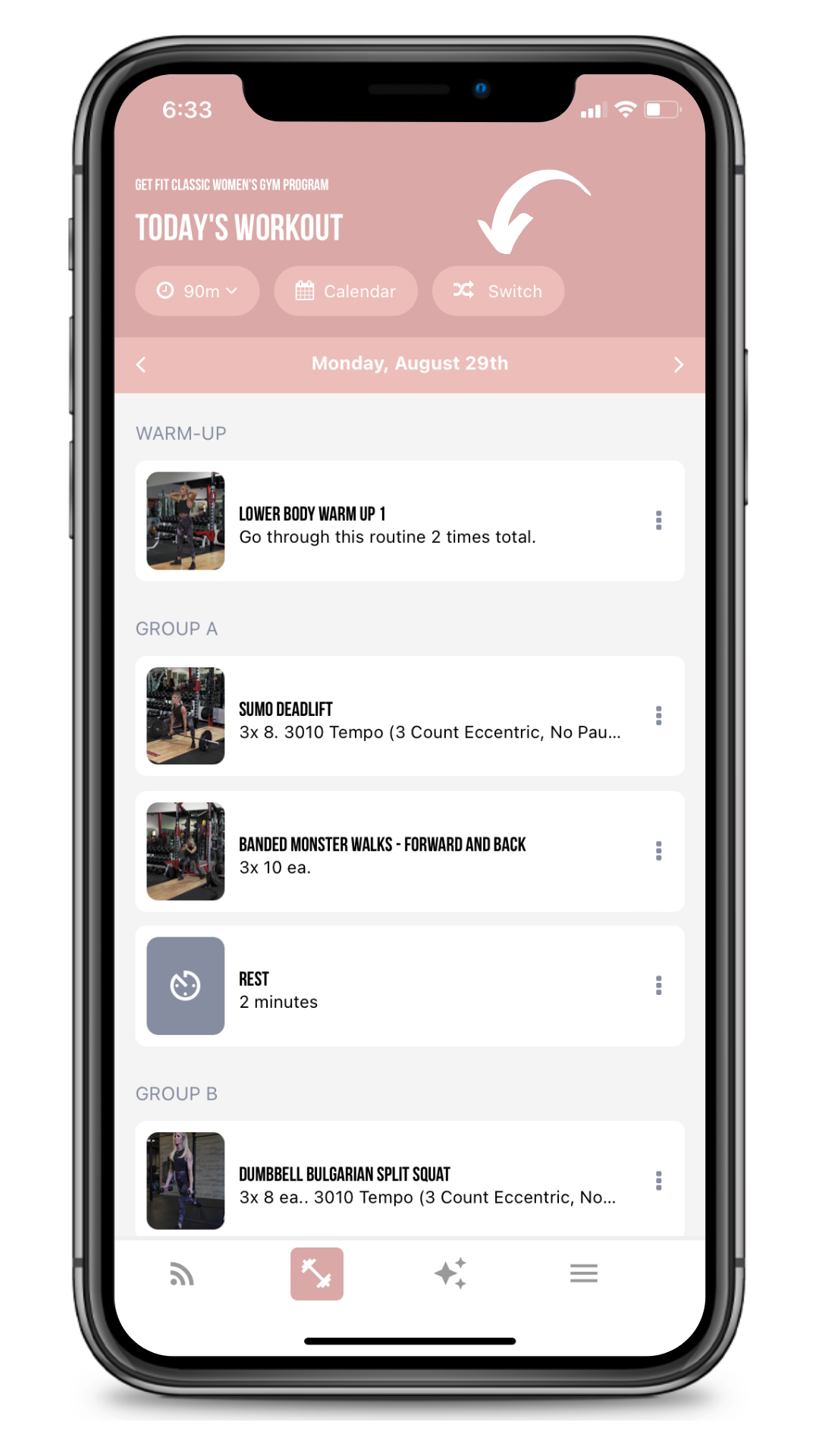
2. Tap the program you'd like to switch to.
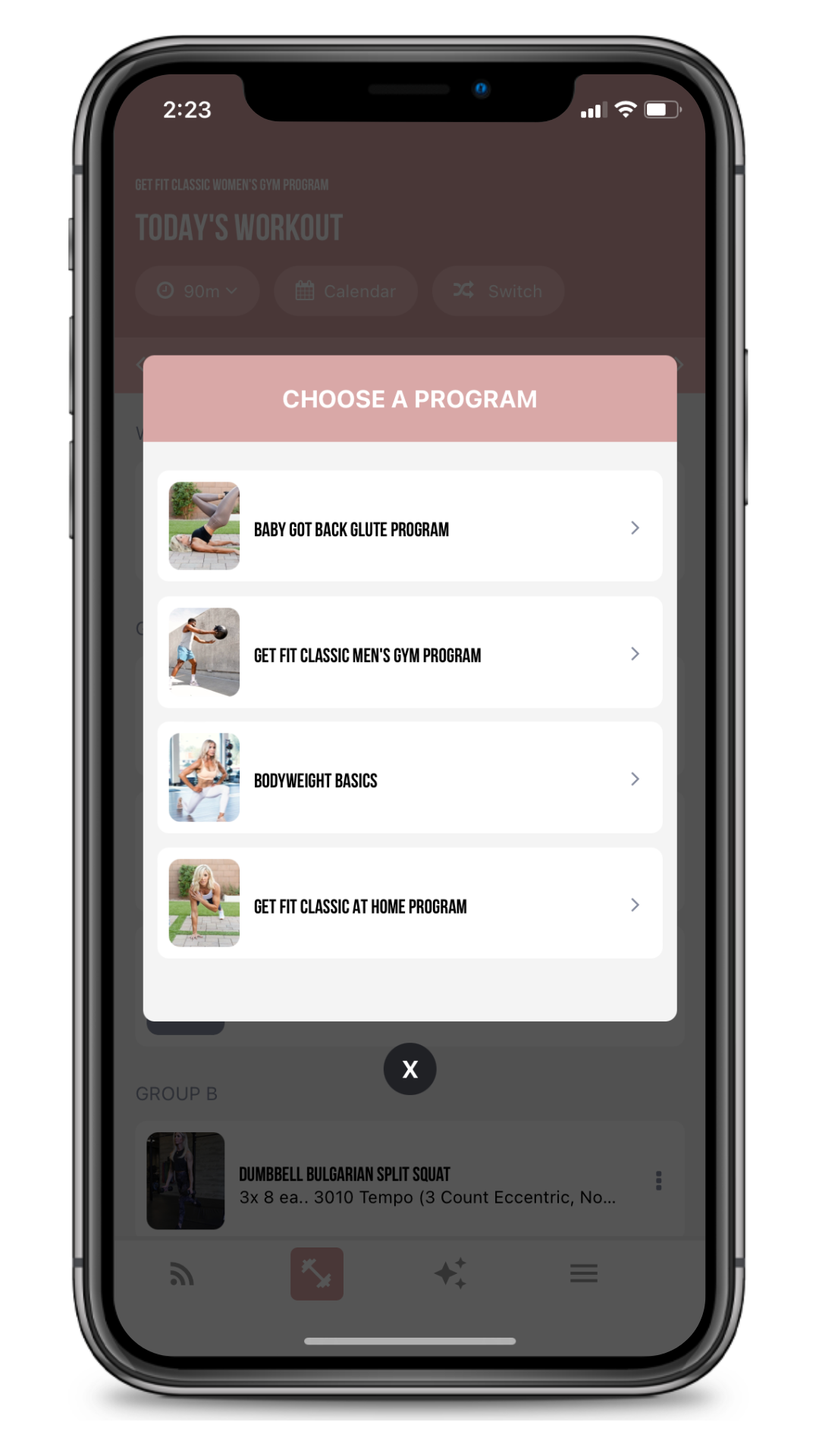
That's it! You've switched. But if you'd like to read more about the programs before switching, you can also follow these steps:
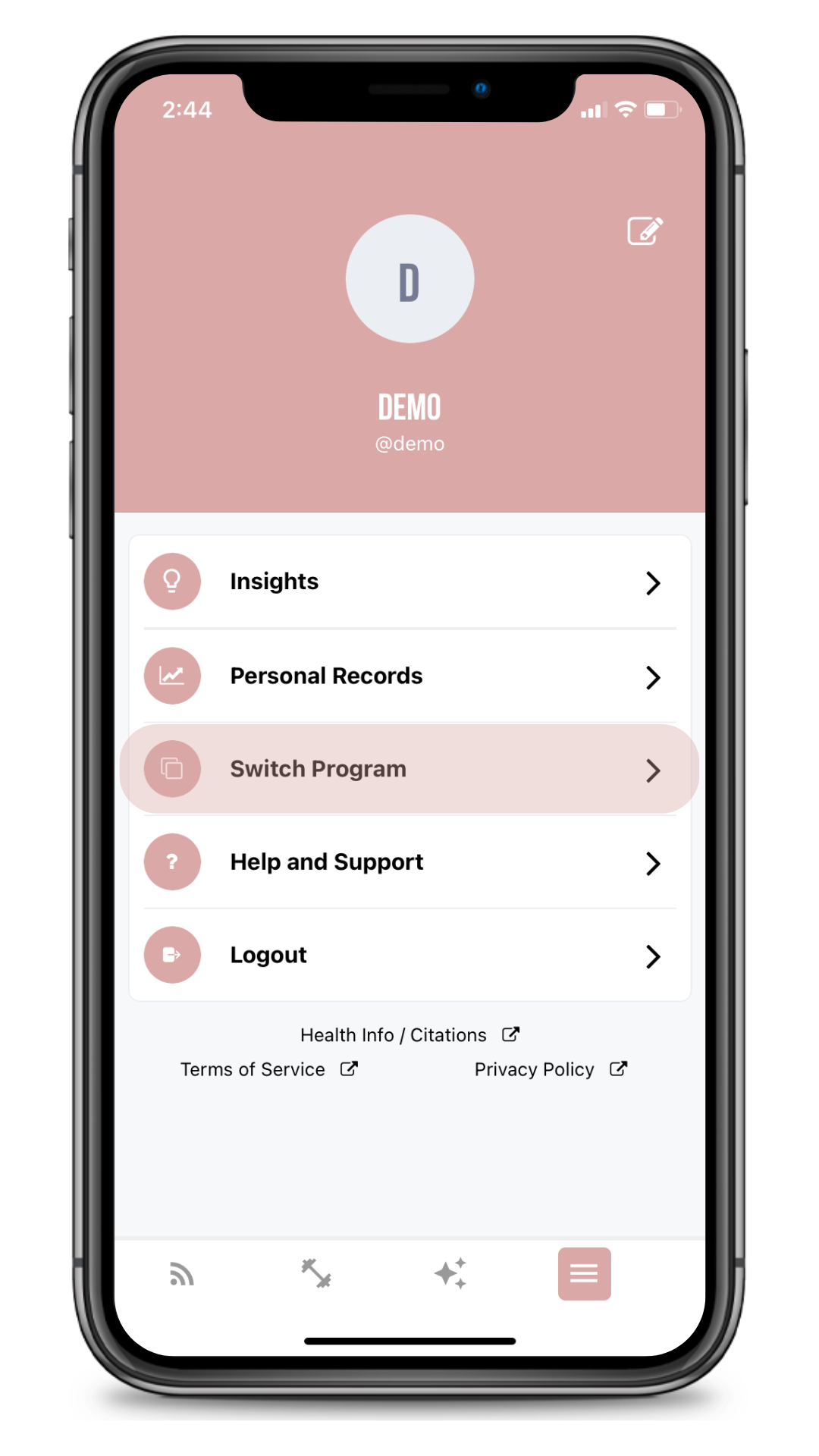
1. Tap the fourth icon on the bottom, then tap "Switch Program."
2. Scroll and tap the program you want to learn more about.
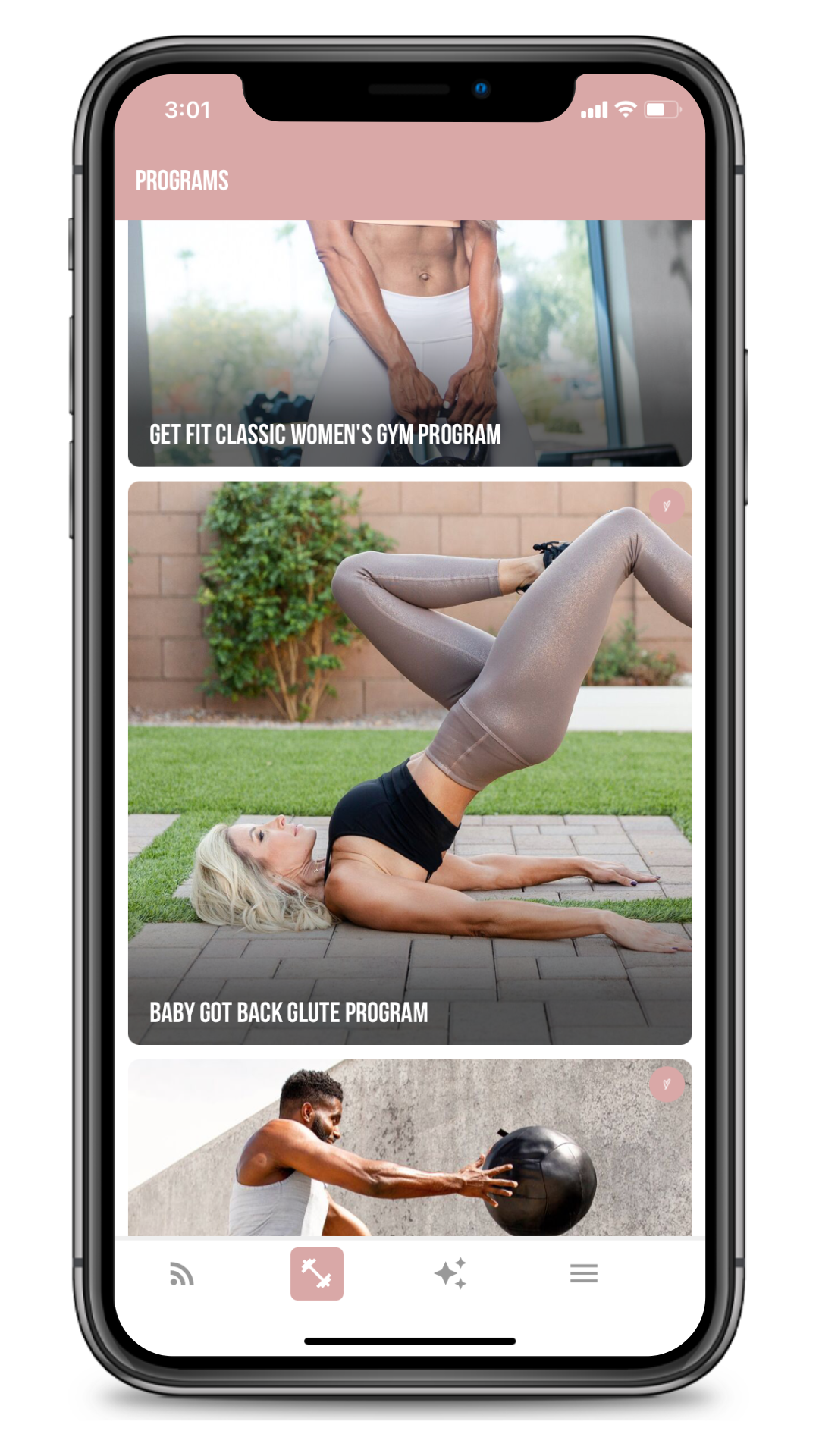
3. Hit "Switch Program."
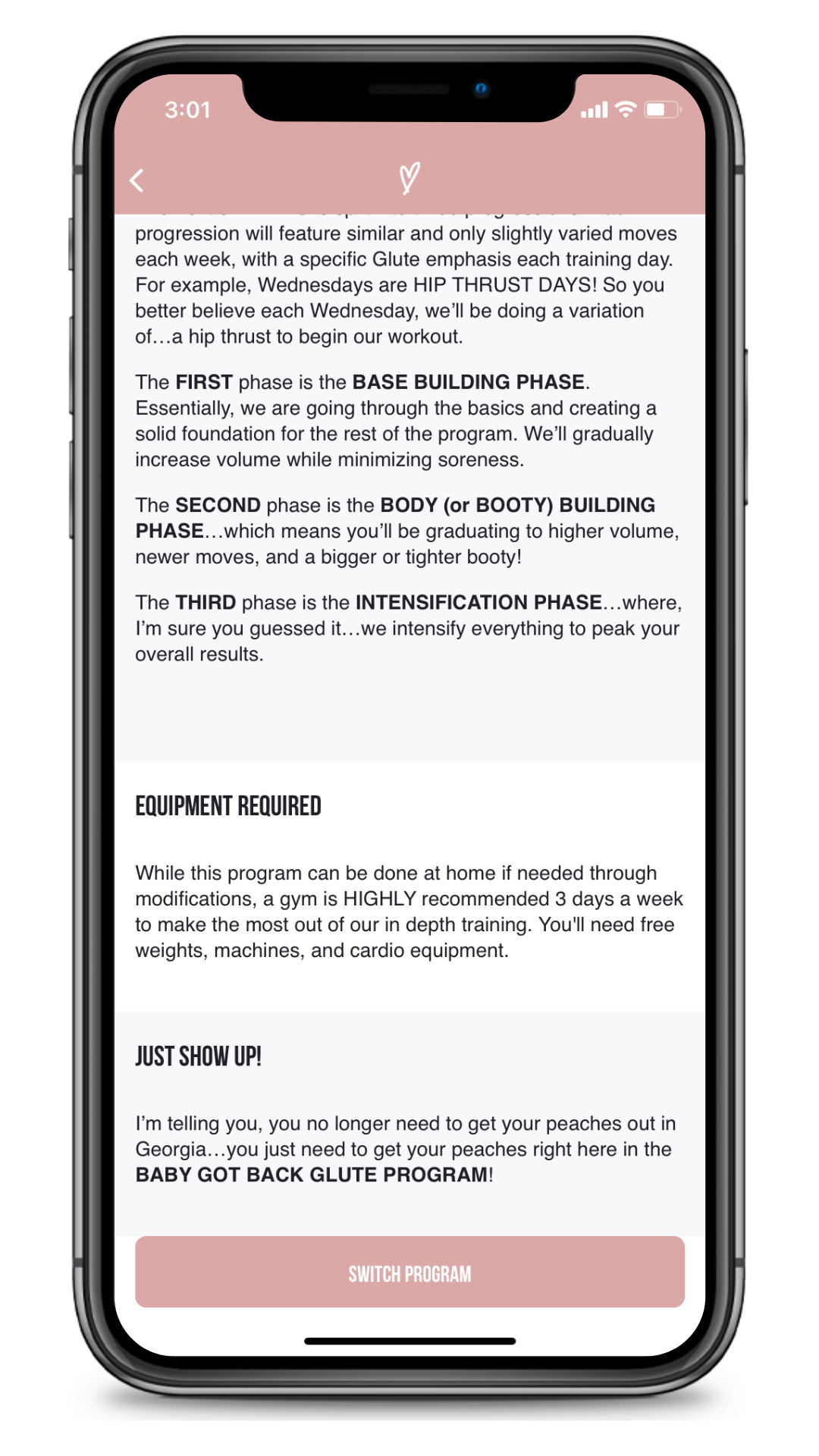
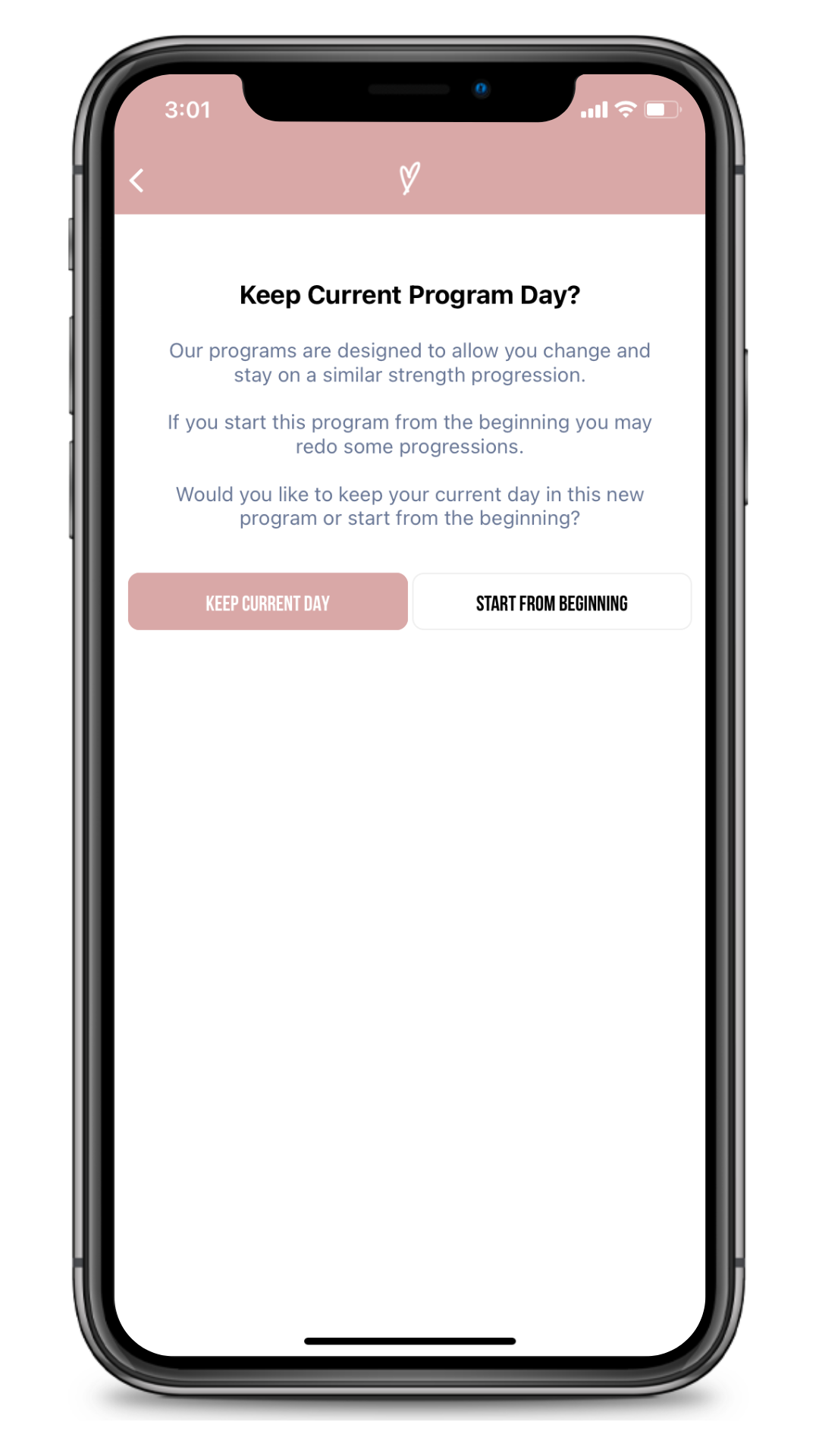
4. Choose to start from your current day, or to start from the beginning of the new program.
That's it! Now you can start your new program. If you need help, please email support@showupfit.app and our support staff will gladly help you out.