
Once you have performed a new personal record, you will want to record that for future reference.
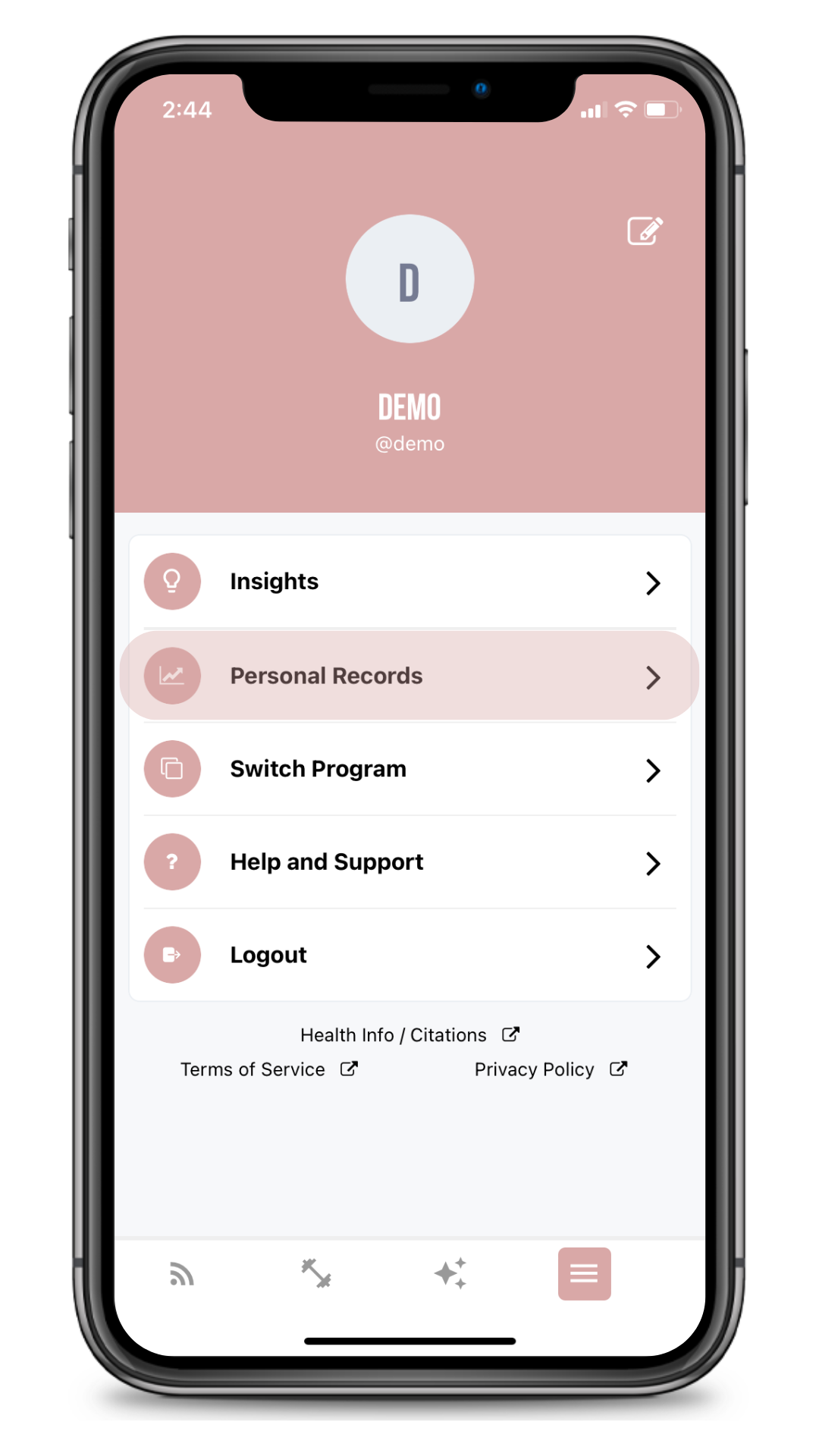
1. Tap on the fourth icon at the bottom of your screen
2. Tap "Personal Records"
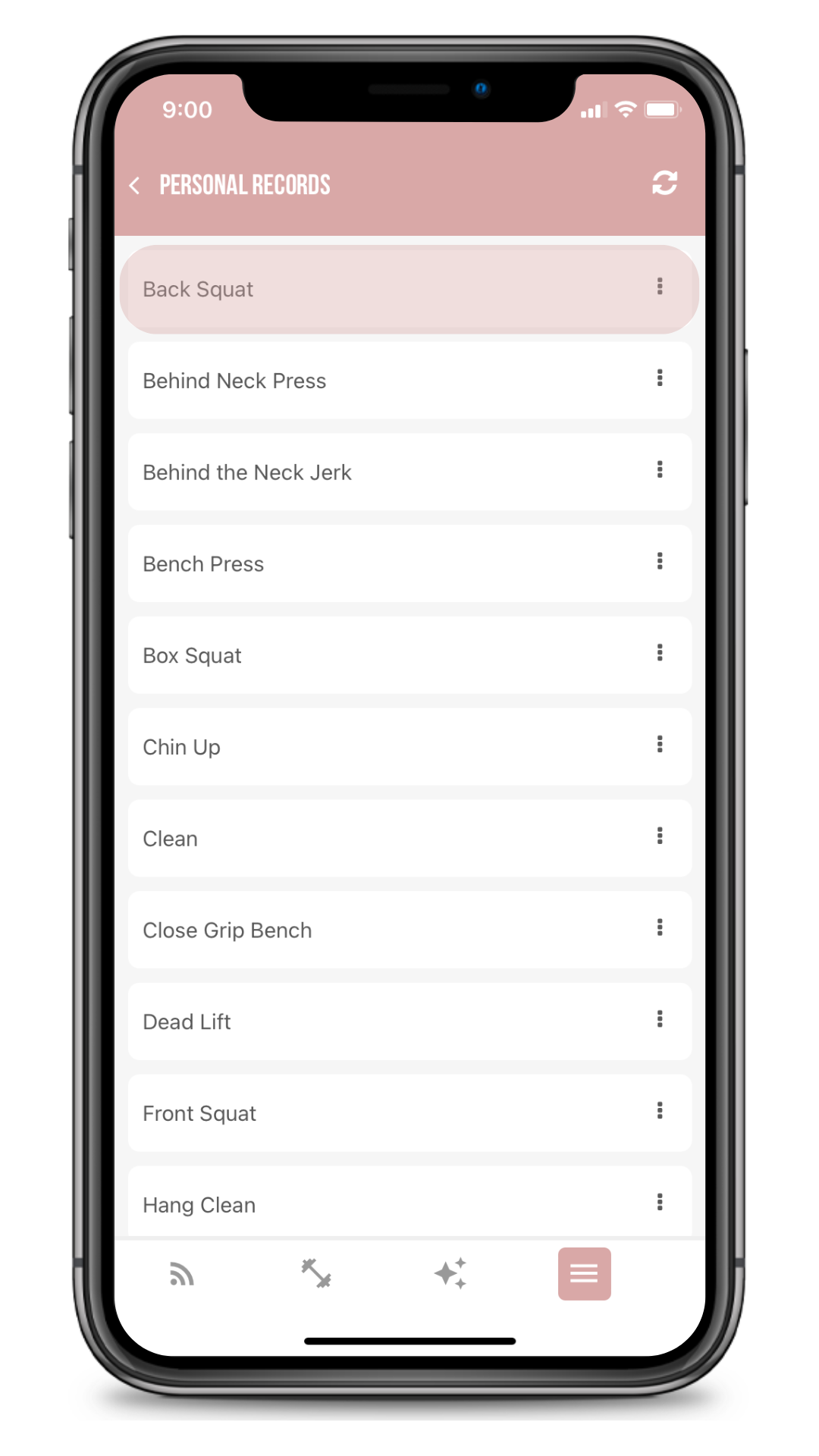
3. Tap the exercise you are recording a new PR for. (If you have previously recorded a PR, it will show up)
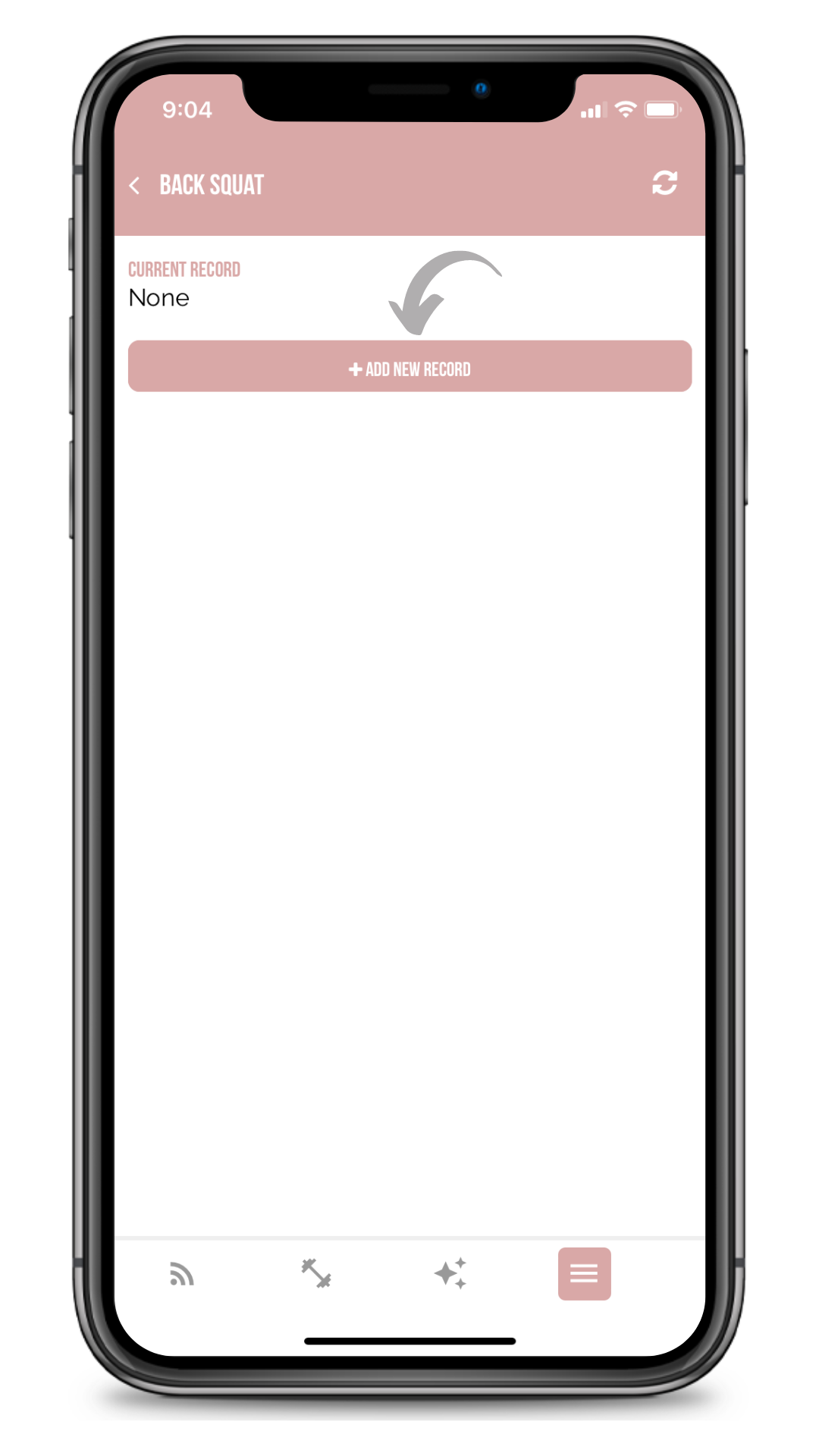
4. Tap "Add New Record"
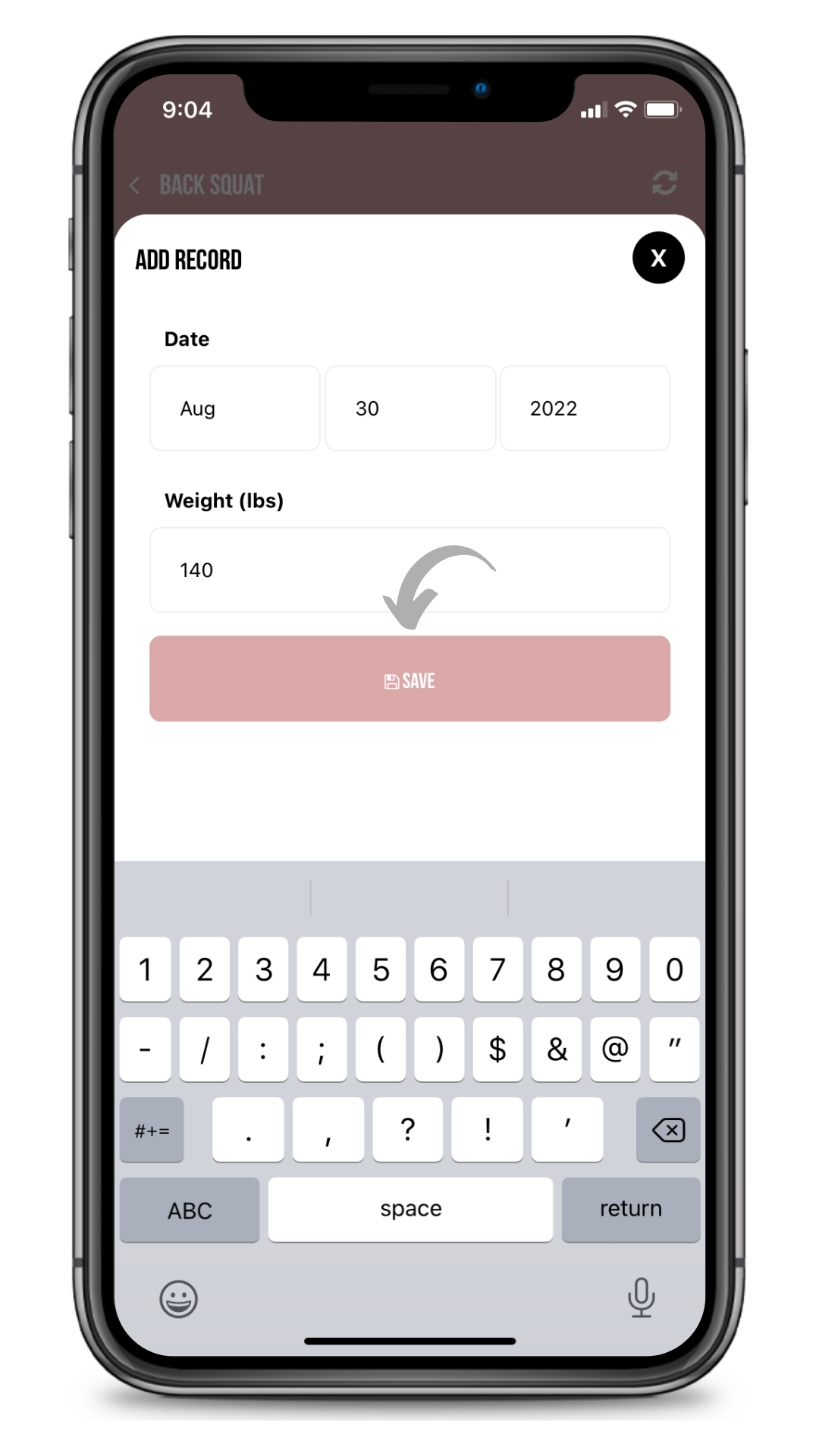
5. Enter your PR and hit "Save"
You're all set. If you are in a men's program, the next time you perform exercises that you've entered PRs for, those exercises will auto-populate with recommended weights.